
Article
Automating Splitting Shared Expenses in YNAB

If you use YNAB with a partner and you’re the one tracking shared spending, you’ve probably run into this: you put the whole grocery run on your card, then have to split it so your half goes to “Groceries” and their half goes to something like “Partner reimbursement” or “Nick pays me back.” Do that once, it’s fine. Do it for every shared meal, trip, and Aldi run, and it gets old fast.
The mental model that works for us: I categorize my half into the real categories (Groceries, Restaurants, etc.), and their half always goes into one “reimbursement” category. They pay me back on a schedule, and that category goes back to zero. The annoying part was doing the 50/50 split and the right categories for every transaction.
So I built a small Chrome extension that does exactly that.
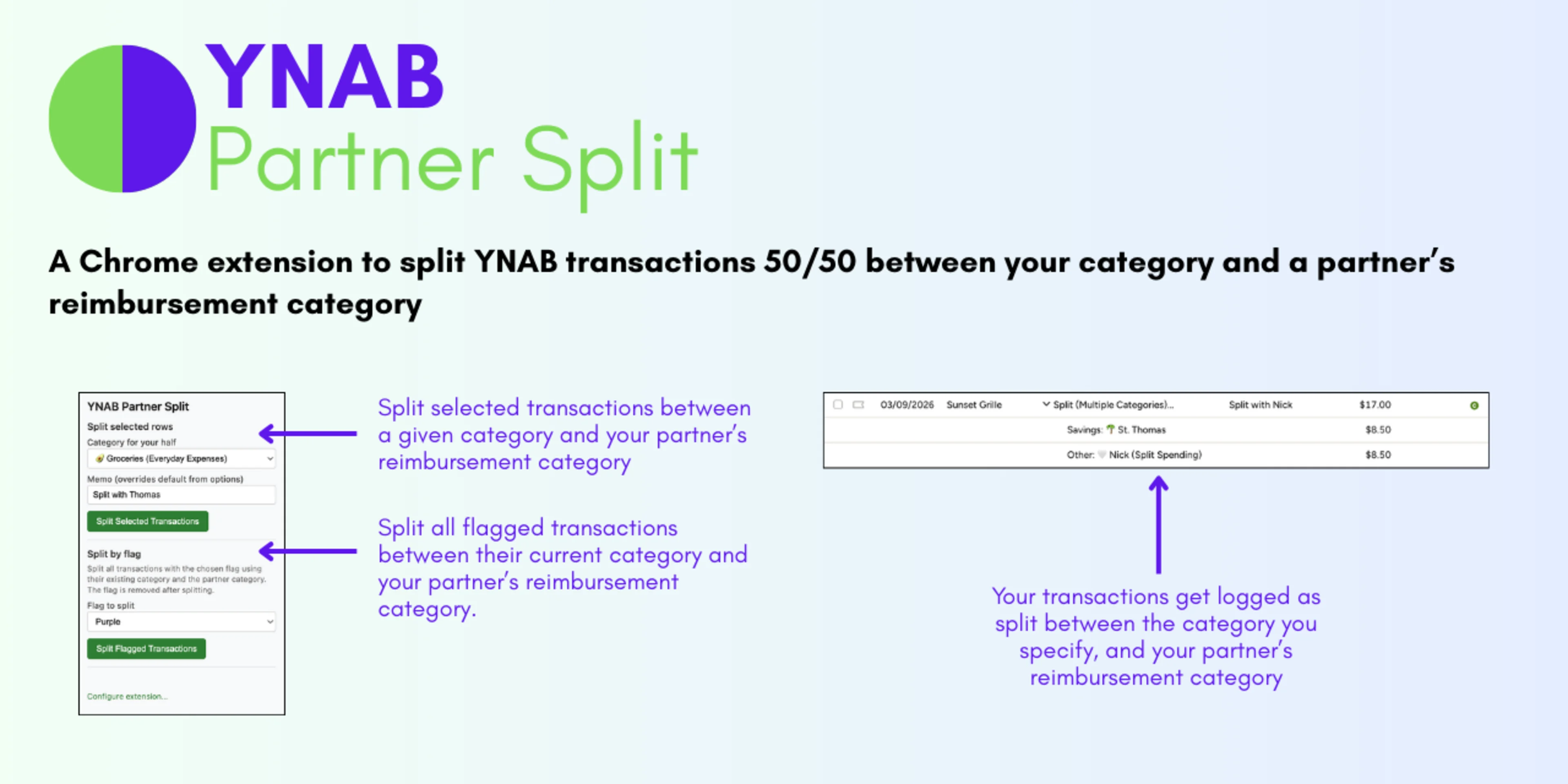
YNAB Partner Split runs in the browser and talks to the YNAB API. You install it once, connect it with your YNAB token and budget, and set your partner’s reimbursement category. After that, splitting is a couple of clicks, even for many transactions at once.
Two ways to use it:
1. Split selected rows: In the YNAB register, select the transactions you want to split. Open the extension, pick the category for your half (e.g. Groceries), and hit the button. Each transaction becomes a split: half to your category, half to the partner reimbursement category, with a memo you can customize (e.g. “Split with Nick”). You can do many at once.
2. Split by flag: As you enter or approve transactions, assign a category and a flag (e.g. the purple flag) to anything that’s shared. When you’re ready, open the extension, choose “Split by flag,” pick the flag you used, and run it. It finds all flagged transactions in the current month that aren’t already split, does the 50/50 split using the category you already set for each transaction, and clears the flag. Good for batching: flag as you go, split in one go.
The problem it solves is simple: shared spending gets split correctly and quickly, without opening every transaction and doing the math by hand. Your budget stays accurate, your partner’s balance in that one category reflects what they owe, and when they pay you back, you zero it out like any other category.
If that matches how you and your partner use YNAB, you might find it useful. The project (and download/install steps) are here: github.com/patrickfweston/ynab-partner-split.
It’s free, open source, and not affiliated with YNAB, just something I use every month and wanted to share.